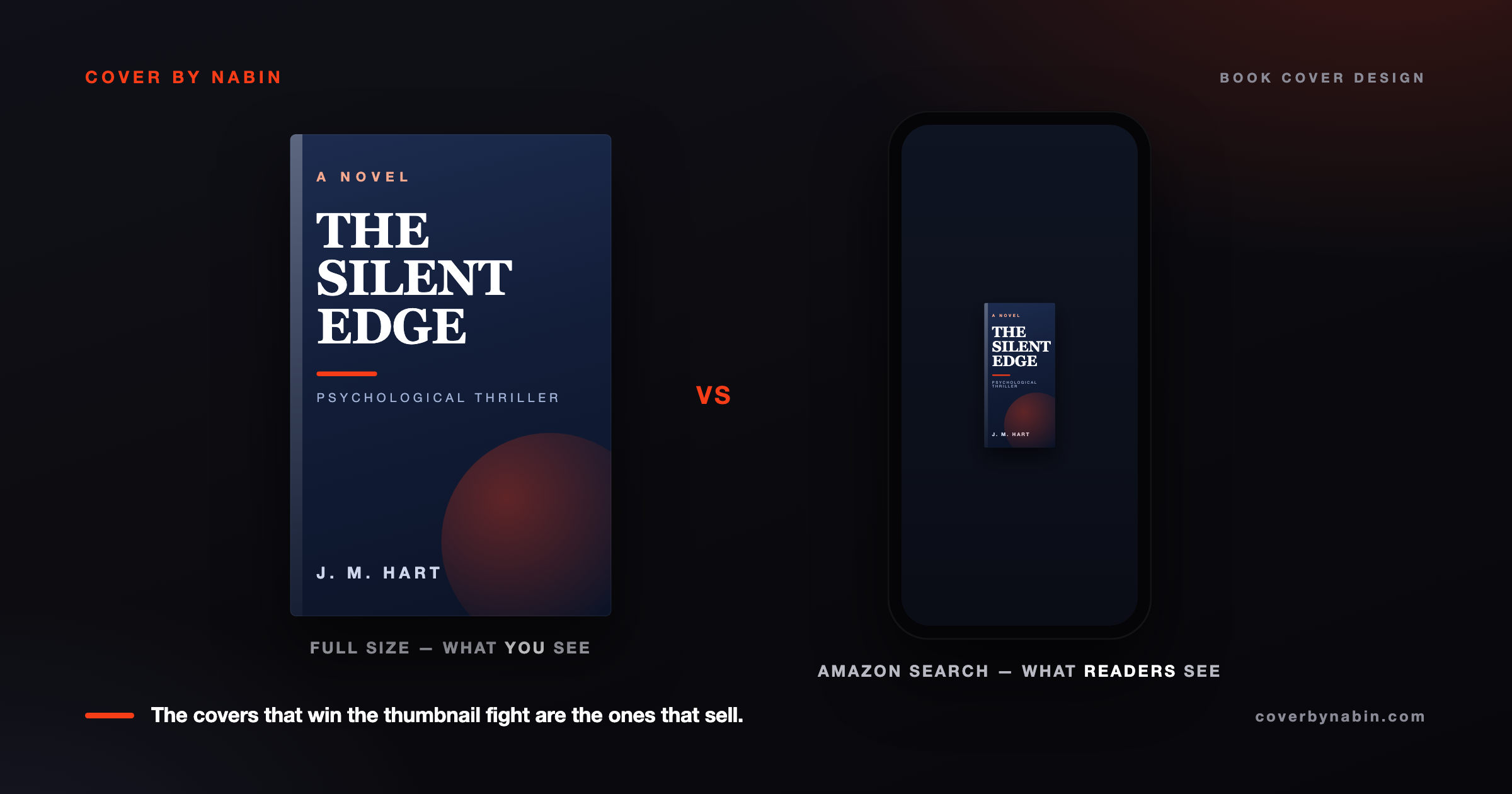
Most first-time authors obsess over the big version of their cover. The full-resolution mockup. The way it looks on a 27-inch monitor.
Then they upload to Amazon and wonder why it doesn't sell.
Here is the uncomfortable truth: on Amazon, your cover shows at roughly 160 by 240 pixels in search results and on category pages. On a phone, it is smaller than a postage stamp. A reader gives it half a second, maybe less, before they scroll past. If your cover does not work at that size, nothing else matters.
This is why I run every cover through the thumbnail test before it ever goes live.
What the thumbnail test actually is
It is stupidly simple. Take your finished cover. Shrink it down to about 160 pixels wide. Then ask three questions:
- Can I read the title?
- Does it clearly say the genre at a glance?
- Is there one obvious focal point my eye lands on?
If you answer no to any of those, the cover fails the test. It does not matter how beautiful it is full size.
The 3 mistakes that quietly kill a cover at thumbnail size
Mistake 1: The title vanishes
This is the big one. Authors love thin, elegant script titles. They look gorgeous at 2000 pixels and disappear completely at 160. Low contrast does the same thing: a title in soft gray on a pale background is invisible once shrunk. So does cramming in a long title, a subtitle, and a tagline across the whole cover.
The fix: your title should be the boldest, highest-contrast element on the cover. Keep it to two or three words if you can. Then shrink it and check. If you cannot read it, neither can a stranger browsing Amazon at 11pm on their phone.
Mistake 2: Wrong-genre colors
Readers shop by shelf. Before they read your title, they scan color and feel. A literary fiction reader expects muted, quiet tones. A thriller reader expects dark and high-contrast. A romance reader expects warm. If your cover uses the wrong color language, shoppers skip it in a blink because it does not look like the thing they came to buy.
The fix: pull up the top 20 books in your exact category on Amazon. Notice the color patterns. You do not copy them, but you match the language, then find one small way to stand out inside it.
Mistake 3: Too busy
Three characters, a sweeping landscape, ten decorative flourishes, a quote from a review. At full size it feels rich. Shrunk to thumbnail size it becomes mud. There is no focal point, so the eye has nowhere to land.
The fix: one focal image, the title, and at most one supporting element. Negative space is not wasted space. It is what lets your title breathe at small sizes.
How to run the test in 60 seconds
- Export your cover as a JPG or PNG.
- Resize it to 160 pixels wide.
- Open it next to three best-selling books in your category, all at the same size.
- Step back from the screen, or squint.
- Check your three questions: title readable, genre obvious, one focal point.
If your cover holds up next to the competition at that size, you are in good shape. If it gets lost, fix the title and the focal point first. Those two moves win most of the fight.
You can preview your cover at real Amazon thumbnail size with my free Thumbnail Audit tool.
Why this matters for sales
Amazon rewards clicks. The more people who see your cover and click, the more the algorithm shows your book to other people. A cover that wins the thumbnail fight earns more clicks, and those clicks feed the system that decides how often you show up at all. The pretty full-size version is for the people who already clicked. The thumbnail is what gets them there.
If your cover fails the test, that is good news
A failing thumbnail test is the easiest sales problem to fix, because it is specific. You know exactly what to change: the title contrast, the genre color, the clutter. You do not need to redo the whole book.
If you want a cover built to pass this test from day one, here is how my book cover design service works. Or start a project and I will run the thumbnail test on your brief before a single pixel gets drawn.
Not sure your cover passes the test?
Preview it at real Amazon thumbnail size with the free tool, or get a custom cover designed to win the thumbnail fight.
Get your custom book cover designed Try the free tool ›